
Channels
The channels the Inclamo AI agent answers on and where each one is set up.
The agent answers on: Phone, web chat and email. You connect the channels and set how the agent works in each one in Inclamo Helpdesk.
It speaks English and Spanish. Other languages on request.
Phone
The Shopify app gives your agent its phone number when you install it — you find it in the app under Agent settings → Status, next to Phone. The agent answers the calls to that number.
Every finished call is filed in the Phone inbox of your helpdesk, with the conversation and the call’s details, so your team sees what was said and which calls left a request. See Calls.
Web chat
The chat on your store is an inbox of Inclamo Helpdesk, created with your account when you sign up from the Shopify app. To show it on your store, press Turn on chat on your site in the app: Shopify’s theme editor opens with the chat switched on. A store without a Shopify theme adds the chat with the installation code from the inbox’s settings in the helpdesk.
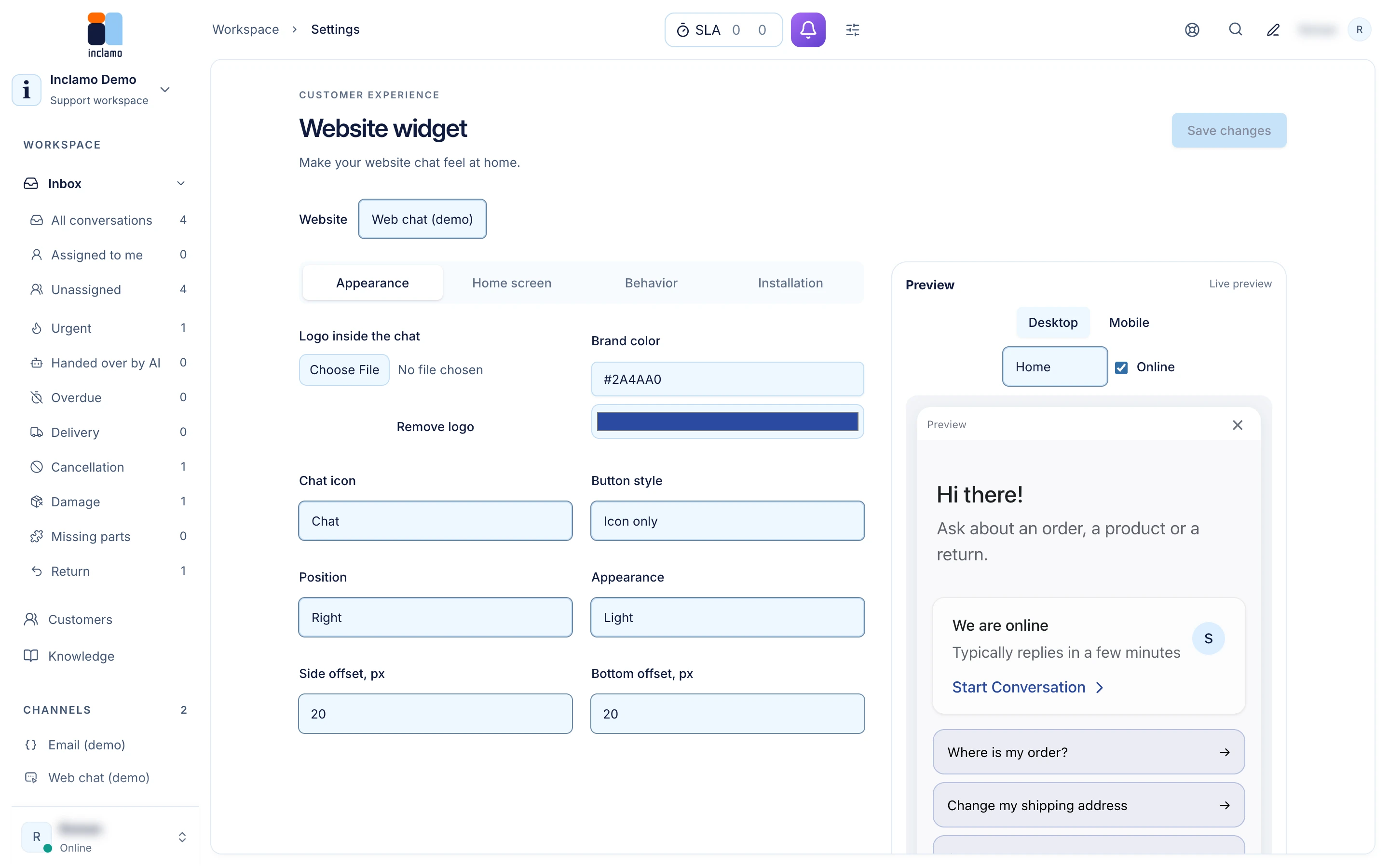
How the chat looks and behaves is set in the helpdesk, in Settings → Website widget: its colors, launcher and position, the home screen with up to six suggested questions and up to six quick links, the pages it shows on, and its language. Saved changes reach your site on the next page load; nothing has to be reinstalled.
Add an email inbox for your store’s address in Inclamo Helpdesk (Settings → Inboxes), then tick it on the AI agent page.
Choosing where the agent answers
The agent answers in the inboxes ticked in Settings → AI agent, under “Inboxes the agent answers in”. Untick an inbox to give it back to your team; tick it again at any time. Calls are always filed in the Phone inbox.